

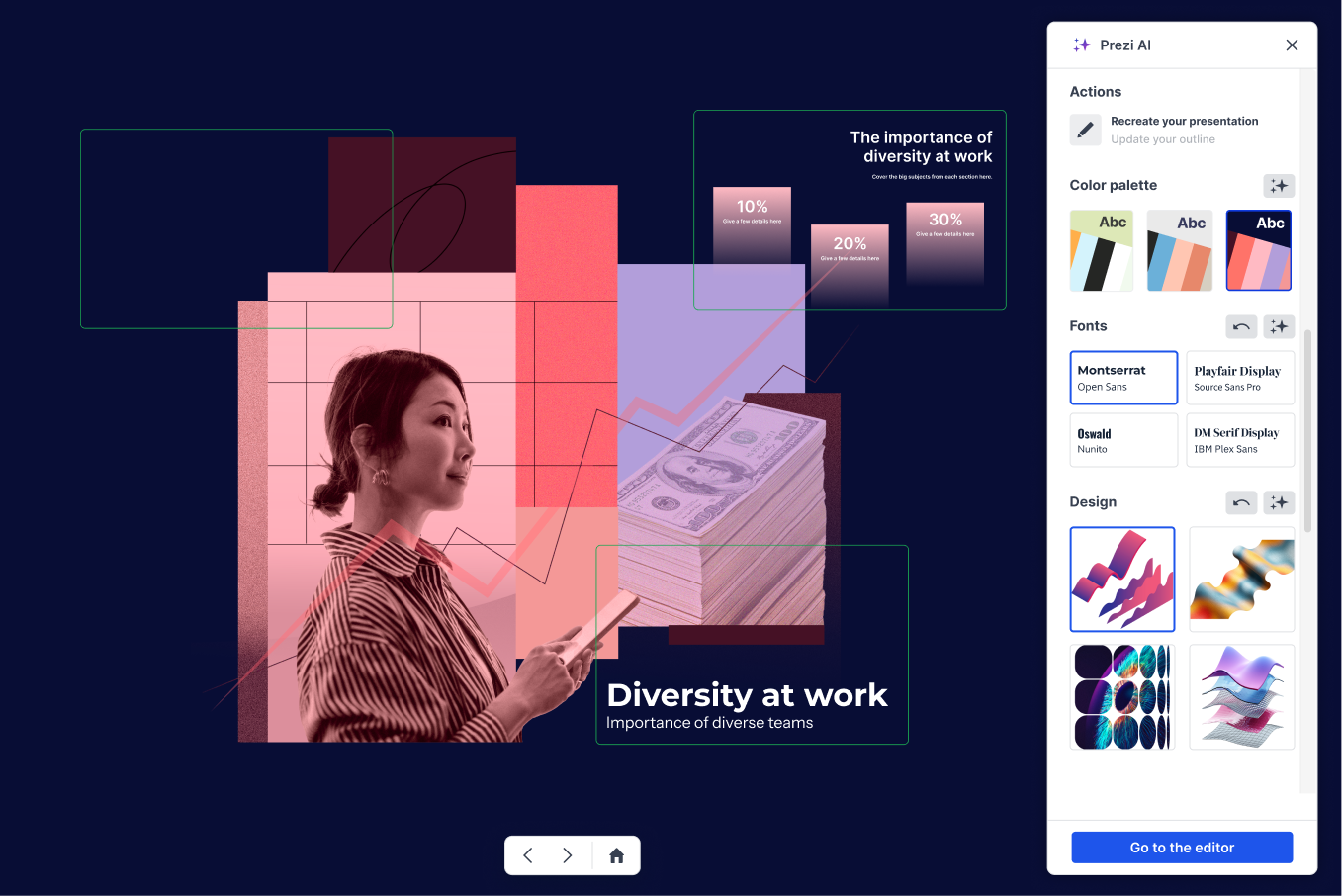
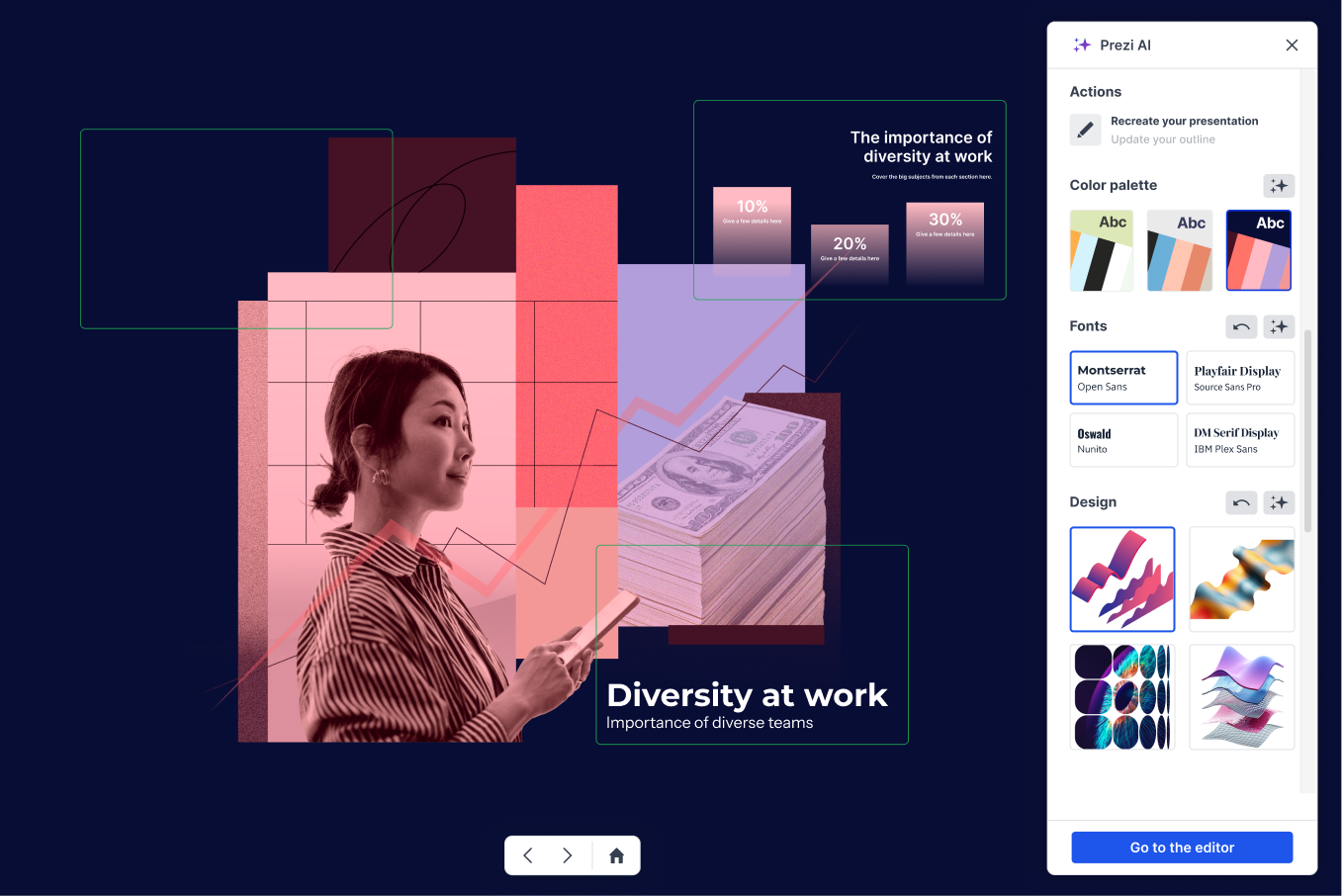
Increasing time to value with Prezi AI
Prezi's zoomable canvas creates more engaging presentations than traditional slides, but it's harder to build. I led the AI creation flow that removed the complexity and got the user faster to the product's value without removing the heart of creative presenting Prezi is known for.
Role
Senior Product Designer
Timeline
2025-2026
Team
1 PM · 8 Engineers · 1 Researcher · 2 QA
Status
Shipped & iterating
Key results
Overall activation vs. control
Engagement time after creation
Faster time to first presentation
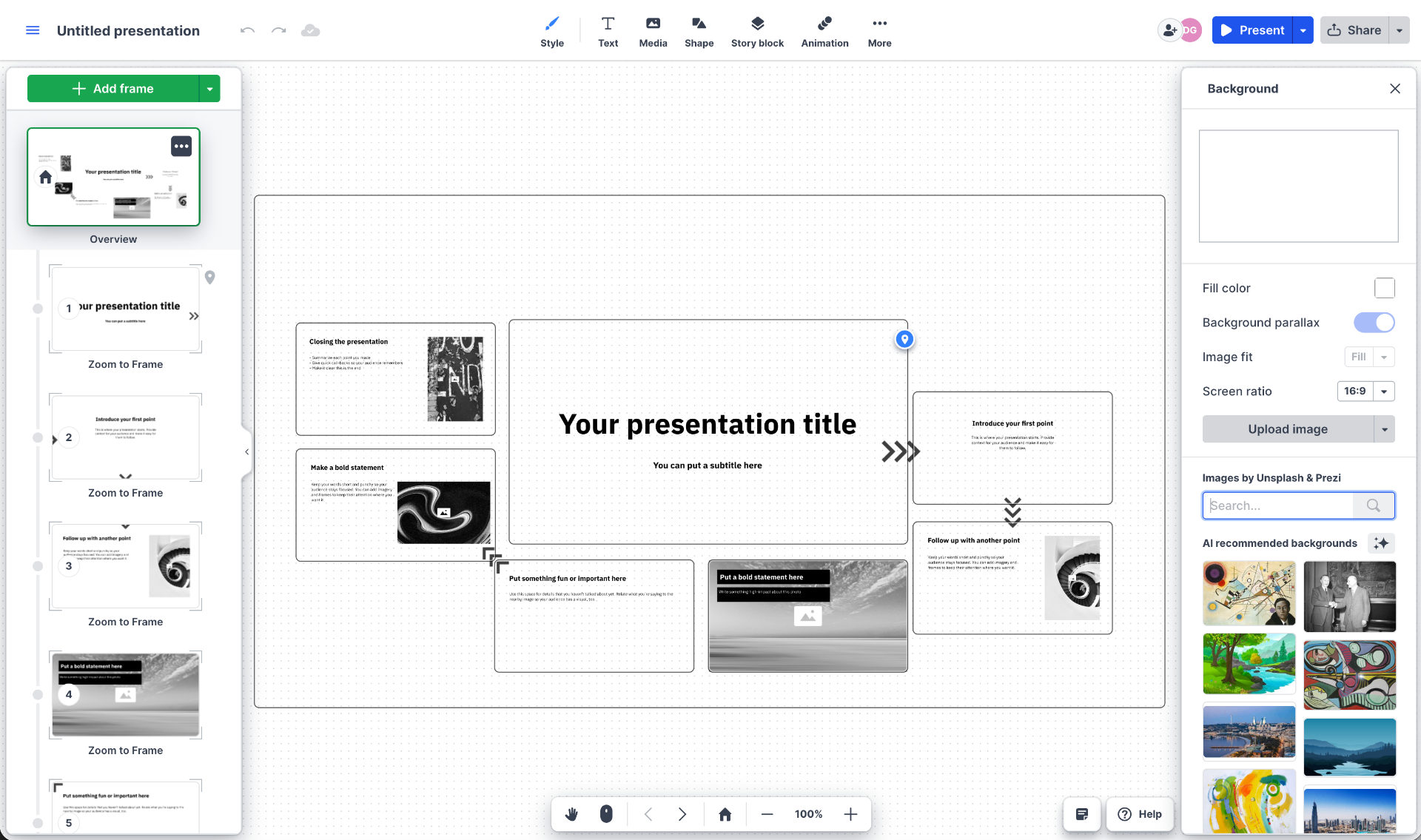
Prezi's format is its strength, and its barrier
Prezi’s infinite canvas enables a non-linear approach to storytelling that sets it apart from traditional presentation tools. By using movement and space, presenters can create a more dynamic narrative experience. However, the platform’s flexibility also created a steep learning curve for first-time users, causing a significant number of presentations to be abandoned, and activation decreasing over time.
Exciting, but unfamiliar format
For users coming from PowerPoint, the spatial nature of Prezi lacked a familiar mental model. Without predefined structure or guidance, many found the blank canvas overwhelming.
Powerful, but complex editing
After selecting a template, users were still faced with the challenge of adapting content within an open canvas. Rather than making quick edits, they often had to rethink structure and layout, requiring more time and effort than expected.
For years, Prezi marketed itself as a platform for dynamic, non-linear storytelling. While the promise resonated with users, many struggled to translate that vision into a finished presentation, with the main constraints being their time and skills.
If users could turn their ideas into structured, visually engaging presentations without dedicating a lot of time on how the canvas works, they would reach the product's value faster and be more successful with Prezi.
Users focus on what they want to achieve, not how to structure it
Rather than assuming the issue was AI, I reframed it as an activation problem. We combined funnel analysis, onboarding data, support insights, and user research with interviews across Customer Success, Support, Marketing, and Sales. Across every source, the same pattern emerged: users were excited by the promise of compelling presentations, but many abandoned the product before completing their first presentation.
We identified three key user needs that informed every design decision throughout the project:
Speed
"I don't have time to go back and forth. I need something usable in the first try."
Control
"I want to guide the AI on the look, not just accept whatever it gives me."
Predictability
"Sometimes the output great, sometimes it's completely wrong. I never know which one I'll get."
Four phases, each solving a different layer of the problem
Hello, what are you presenting about today?
Replace the canvas with a prompt
The real barrier wasn't the canvas itself, it was asking users to think in structures before they knew what they wanted to say. I replaced template selection with a single prompt input and let the system infer everything else.
The first version was deliberately simple. Users typed what they wanted to say and the AI agent built the canvas presentation around it. I made the call to keep the input surface minimal - no formatting options, no guidance, no suggestions. The fewer decisions we asked users to make upfront, the more likely they were to start and get to the value.
I added urgency signals from onboarding to route high-intent users directly into AI creation, removing the structural decision when they were most motivated to move fast. Phase 1 shipped and lowered the initial barrier, but later drop-off remained high. We now had 10M+ real prompts showing exactly how users describe ideas and where the AI was still failing them. The next phases built on that data.
Why this was hard
Hiding templates meant no fallback. If the first AI output wasn't good enough, users had no safety net. The bet: a meaningful AI draft beats a blank canvas or a template that needs restructuring. Easy to argue in research - harder to defend when removing a feature millions had relied on.
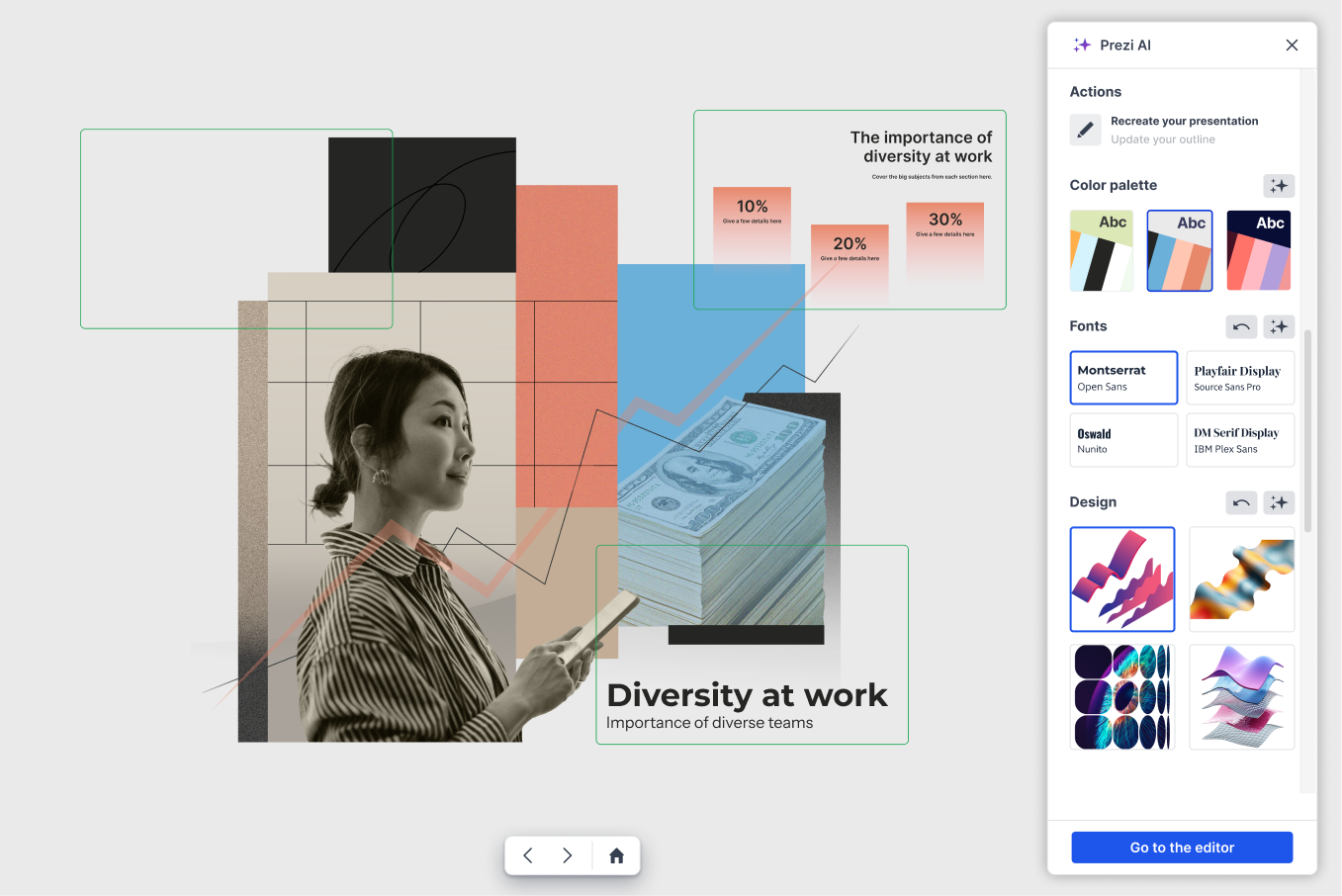
Let users steer the design before committing
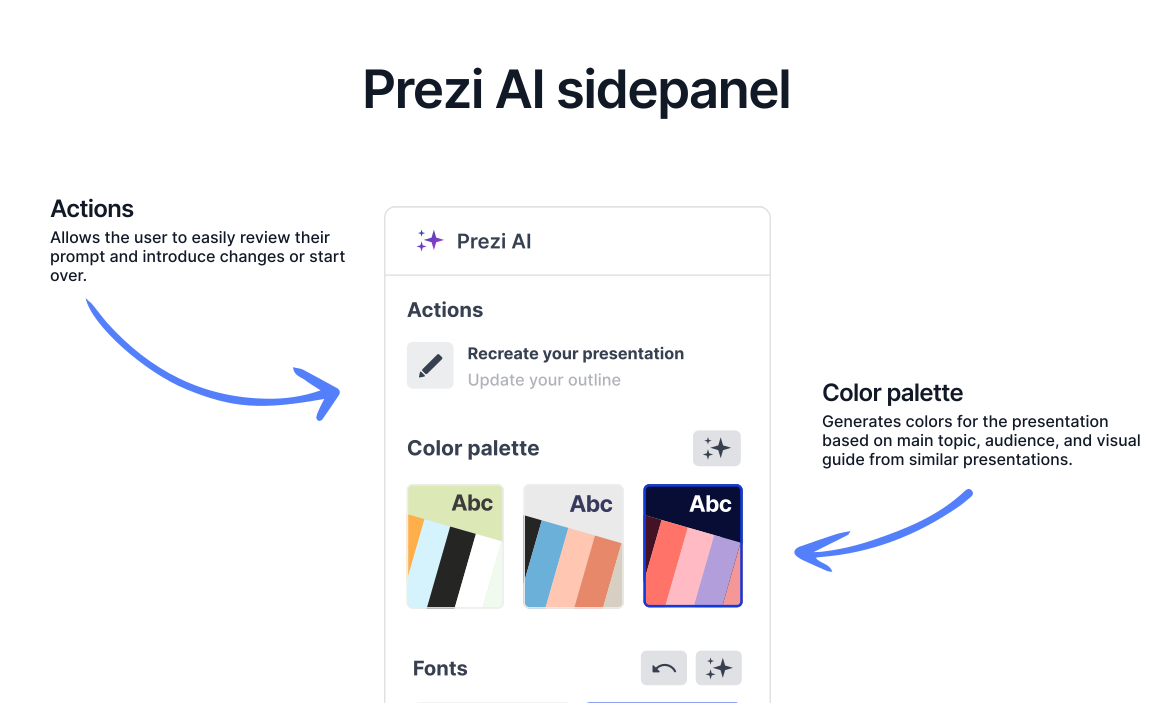
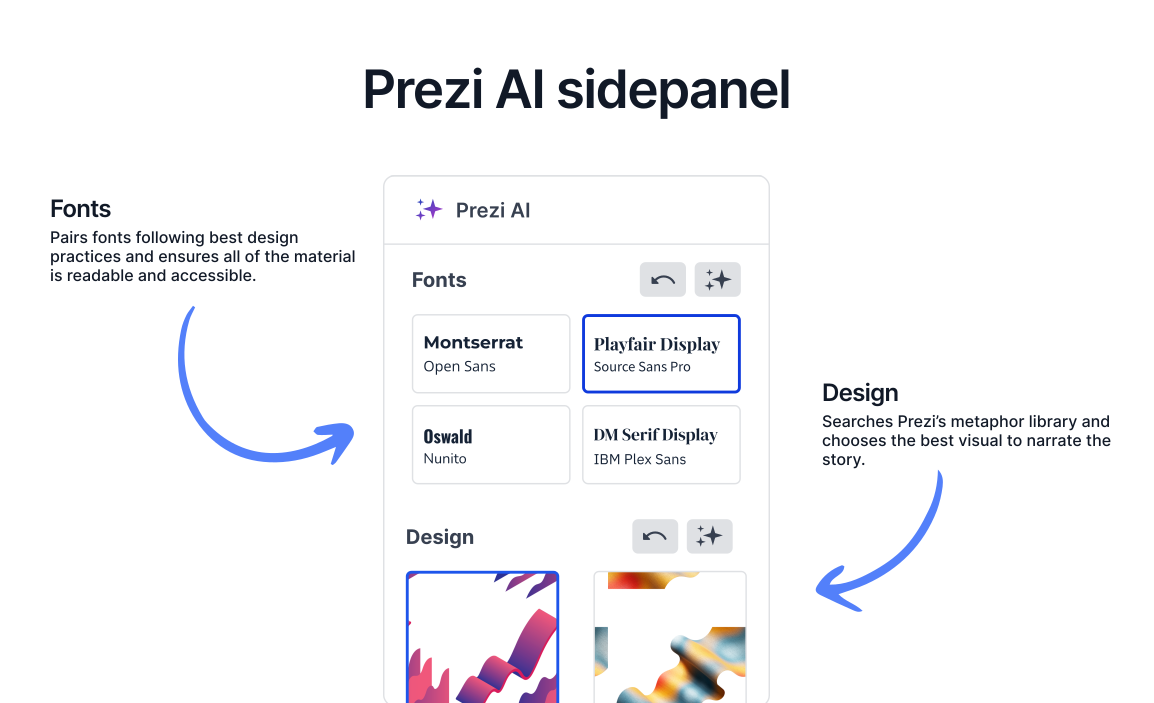
Post-session interviews and complaint data kept surfacing that once the presentation was generated, users focused on the visual output. They were happy to leave the content to AI, but needed the deck to feel "theirs". I introduced a pre-editor stage built around key four visual decisions.
Users didn't want to hand everything to AI - they wanted authorship over how their presentation looked, because it shapes how they're perceived. The team's instinct was to offer more control: a richer editor, more options. I pushed back - more options would have recreated the same complexity. Four visual variables gave a sense of ownership without adding friction. ~80% of the design stayed automatic; users got the finishing touches.
Why this was hard
Limiting users to four decisions felt counterintuitive - like taking control away. The risk: power users churning. The evidence pointed the other way: users who tried to control everything were the ones abandoning most. Fewer decisions, more completions - confirmed after rollout.
Adjust your outline
You can edit and reorder your main talking points as much as you like.
Show users what they'll get before it's built
I introduced an editable 5-7 point outline before generation. Users read, adjust, and approve before the AI acts, making the AI's understanding visible before it becomes irreversible.
Once users started bringing their own content - documents, curriculum text, existing decks - the trust problem shifted. The AI was imposing its own structure on top of theirs, and users felt unheard even when the output looked good. I considered a guided wizard but rejected it: more steps, not fewer. The 5-7 range wasn't a guess - analysis of millions of existing Prezis showed this was the structural pattern of presentations that actually got finished. I pushed a staged rollout: 10% for two weeks, then 50% including paid users, then global. The outline sat in the critical path - any drop in completion would have been expensive to reverse.
Why this was hard
The signal came entirely from interviews - no metric was flagging a problem. Users were completing presentations, but something was off. They'd show their original content next to the output, and the dissatisfaction was visible even when they couldn't articulate it. Acting on qualitative signal, not yet in the numbers, meant arguing for a significant flow change without hard data - and adding a step to a path we'd spent two phases shortening. I had to argue the friction was worth it.
What didn't make it, and why
Animations and complex components
Added visual richness but tested as distractions. Users weren't there to be impressed by motion, they were there to finish a presentation.
The urgency picker
Genuinely useful early - it gave us routing data that shaped onboarding. But as users grew comfortable with AI workflows, it became a question they no longer needed to answer.
Font pairing improvements
When forced to choose between the presentation looking exactly right and the user's words surviving intact, the words won.
Metaphor-to-topic matching
The AI's ability to select a central image that reflects the presentation's subject is still imperfect. I'd rather say that plainly than present it as finished work.
Two things I'd carry into the next project
Complexity is only a barrier if you ask users to manage it
Prezi's canvas is more powerful than slides, the goal was never to simplify it, but to absorb its complexity into the system. AI made that possible. The best outcome is a user who benefits from the format without ever having to understand it.
Predictability beats sophistication
At every phase, the biggest gains came from giving users visibility before the AI acted, not after. The outline step was a small UX decision that turned out to be one of the most important ones. Trust isn't built through capability. It's built through legibility.